 Kerylos Labs
Sort Paragraphs & Lists for Google Docs™
Alphabetize any list in Google Docs™.
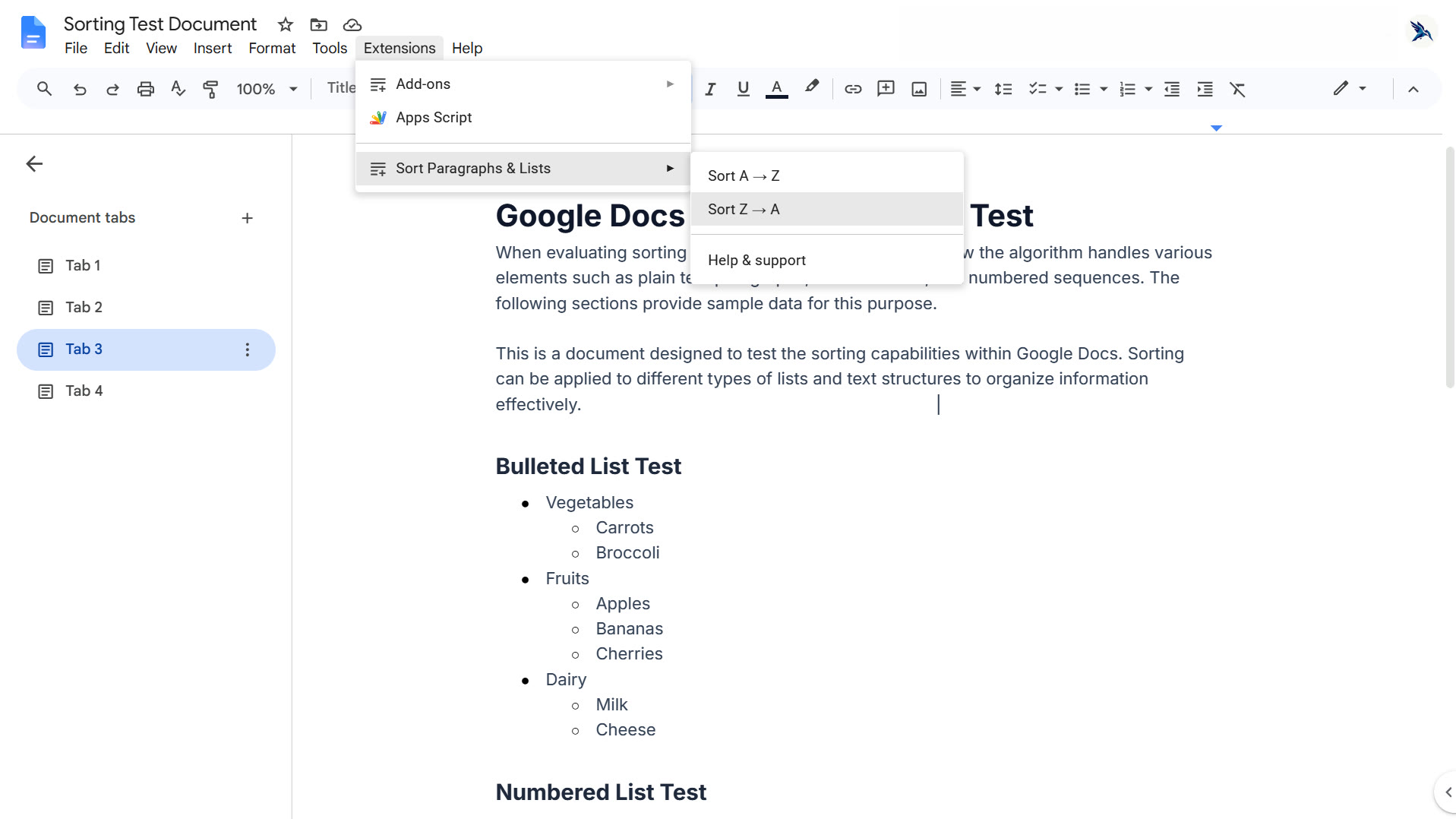
Google Docs™ can sort a table, but not your paragraphs or lists. This free add-on adds the missing button: select your lines, choose A → Z or Z → A, done.
Free · no account, no trial, no limits · only accesses the document you’re in
What it sorts
Anything you’d otherwise drag into order line by line.
Paragraphs and lines
Names, tasks, glossary terms, notes: any A to Z list of plain paragraphs.
Bulleted and numbered lists
Bullets and numbering stay as they were. A numbered list keeps counting 1, 2, 3.
Nested lists
Sub-items are sorted too, and each one stays under its parent.
Bibliographies
Reference lists and works cited pages, ready for APA, MLA or Chicago order.
Titles
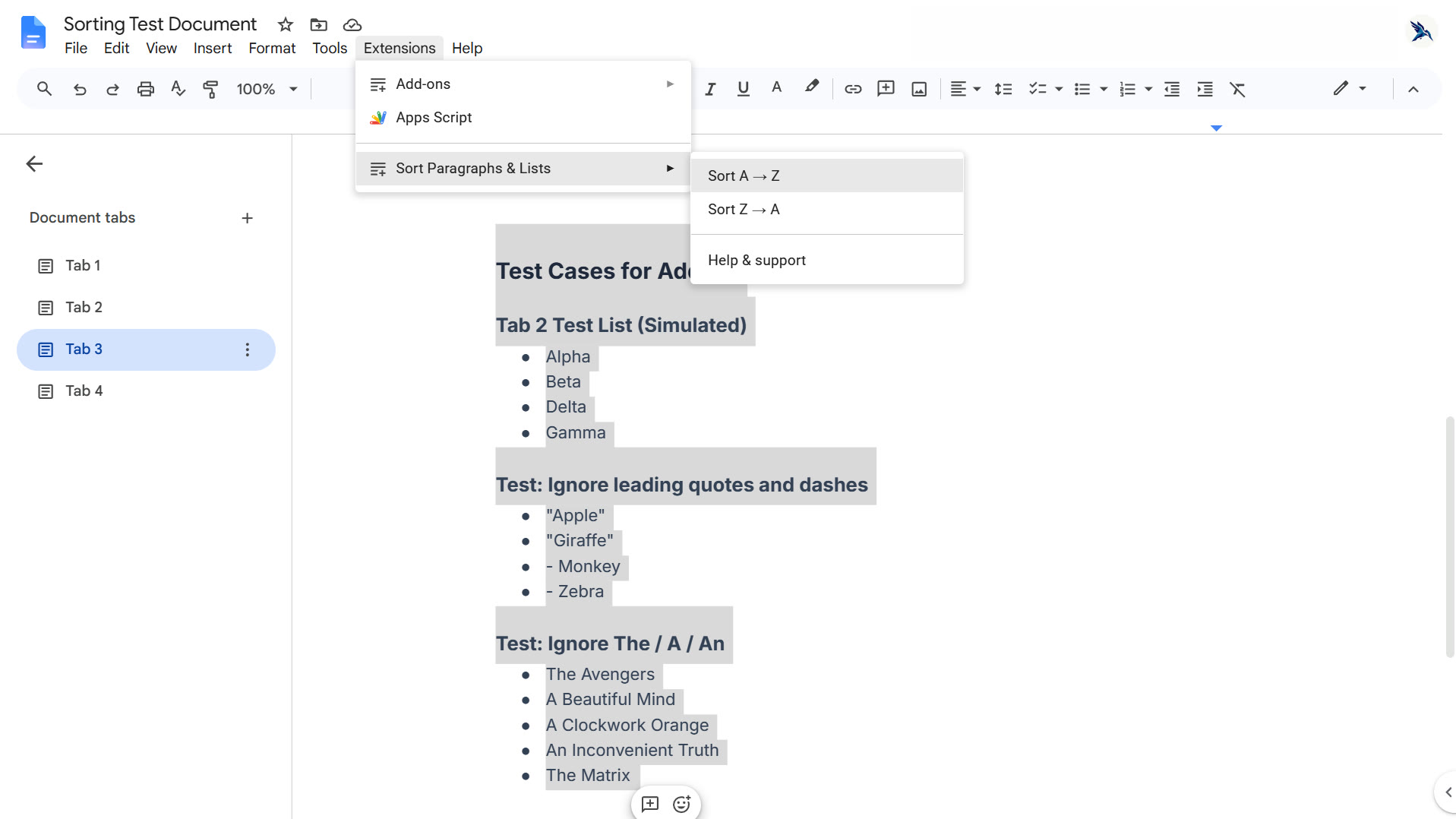
“The Matrix” files under M. Leading quotes and dashes are ignored too.
Whole documents
Select everything: headings stay put, and each list and group of paragraphs is sorted on its own.
Three steps
- 1
Select
Highlight the paragraphs or list items you want in order.
- 2
Sort
Open Extensions → Sort Paragraphs & Lists and choose Sort A → Z or Sort Z → A.
- 3
Done
Formatting, bullets and spacing stay. Changed your mind? Press Ctrl+Z (Cmd+Z on Mac).
Want the full walkthrough, including a way to sort without installing anything? Read How to alphabetize in Google Docs.
Sorted the way you’d expect
Titles and quotes land where you’d look for them, numbers sort naturally (Item 2 before Item 10), and accented letters go in the right place.
Your document stays yours.
- Only this document. The add-on can only access the document you use it in. It can’t open your Google Drive™ or any other file.
- Stays inside Google Docs™. Your text is never sent to Kerylos Labs or any third party, and nothing is stored. The sort runs entirely inside Google Docs™.
- No account. No sign-up, no email address, no tracking.
The details are in the Privacy Policy.
Questions
Is it really free?
Yes. No account, no trial and no limits on how often you sort.
Will it change my formatting?
No. Bold, italics, links, bullet styles and numbering move with each line. Only the order changes.
Can it sort a table?
Google Docs™ already does that: right-click the table and choose “Sort table”. This add-on is for paragraphs and lists.
Does it work in documents with tabs?
Yes. Sort in any tab; only the lines you selected move.
Nothing happens, or it keeps saying “Working…”. What now?
This usually happens when you’re signed in to several Google accounts in the same browser. Google then runs add-ons as your first (default) account. Open the document in a browser window or Chrome profile signed in only with the account that owns it, and try again.
Why does it say only one paragraph is selected?
There’s nothing to sort with a single paragraph. If your lines were pasted in and act as one paragraph, press Enter at the end of each line first.
Questions: sort@keryloslabs.com. We reply within 2 business days, usually sooner.