An independent software studio
Tools that do one job well.
Set up in minutes, then they stay out of your way.

Sales Reports for Sheets™: stop exporting Square CSVs
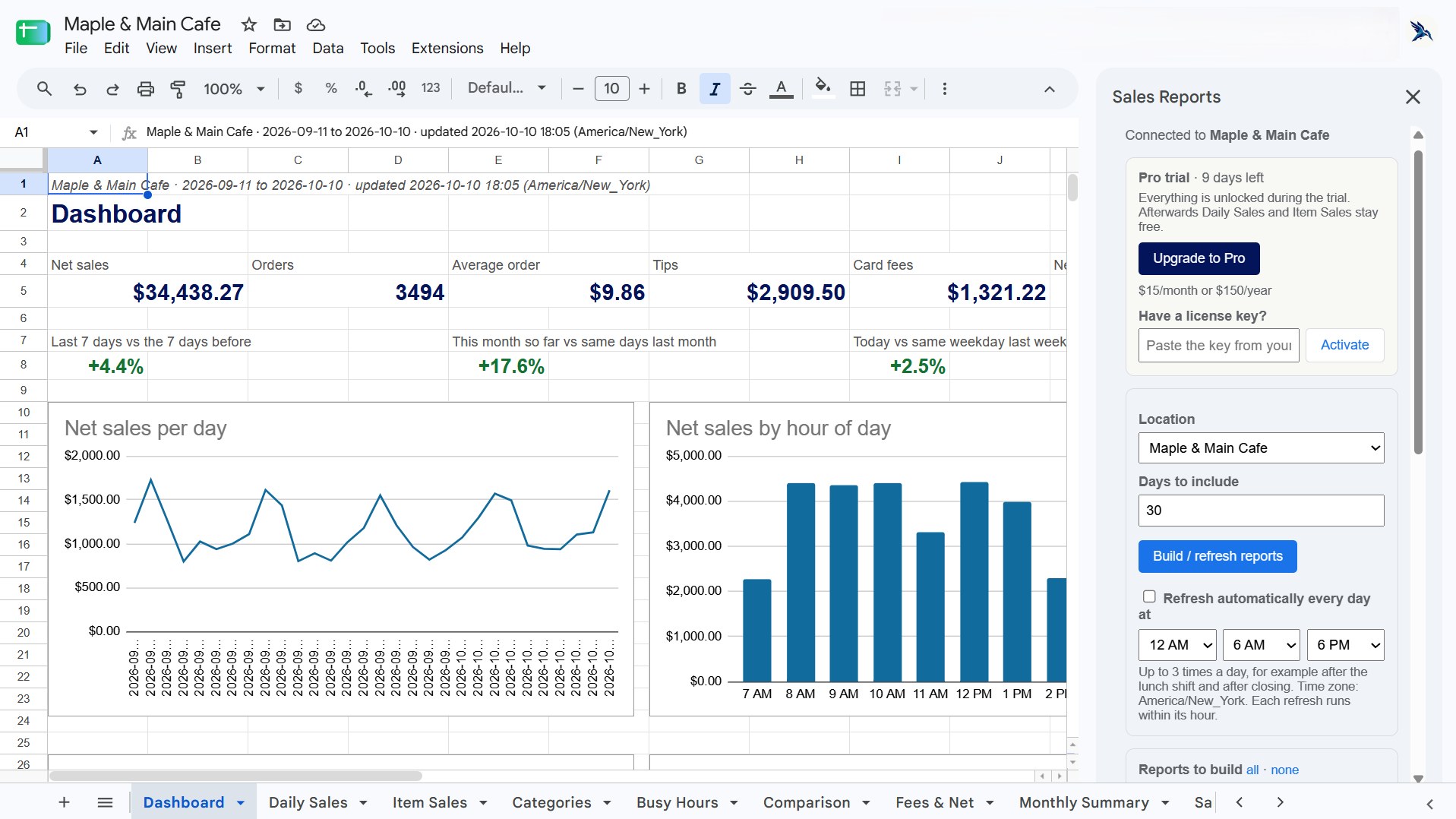
Our first add-on turns your Square sales into ready-made reports in Google Sheets™, built and refreshed for you. Made for cafés, shops and salons that sell with Square.
Read-only access to Square
It connects with read-only access and never changes anything in your Square account.
14 ready-made reports
A dashboard with charts, daily and item sales, categories, card fees and net, monthly totals with tax and tips, sales tax, a month-end summary for your bookkeeper, discounts and refunds.
Know your busiest hours
A heatmap of sales by weekday and hour, for staffing and opening hours.
Every location, side by side
One location or all of them together, plus a location comparison.
Refreshes itself
Up to three times a day, for example after the lunch shift and after closing. Or click once for the latest numbers.
Your data, your sheet
Everything lives in your own Google Sheet, including raw order data for your own pivots and formulas.
Free plan available. Pro is $15/month, with a 14-day free trial, no card needed. Available on the Google Workspace Marketplace.
Install free from Google Workspace Marketplace See all the reports →
Sort Paragraphs & Lists: alphabetize any list in Google Docs™
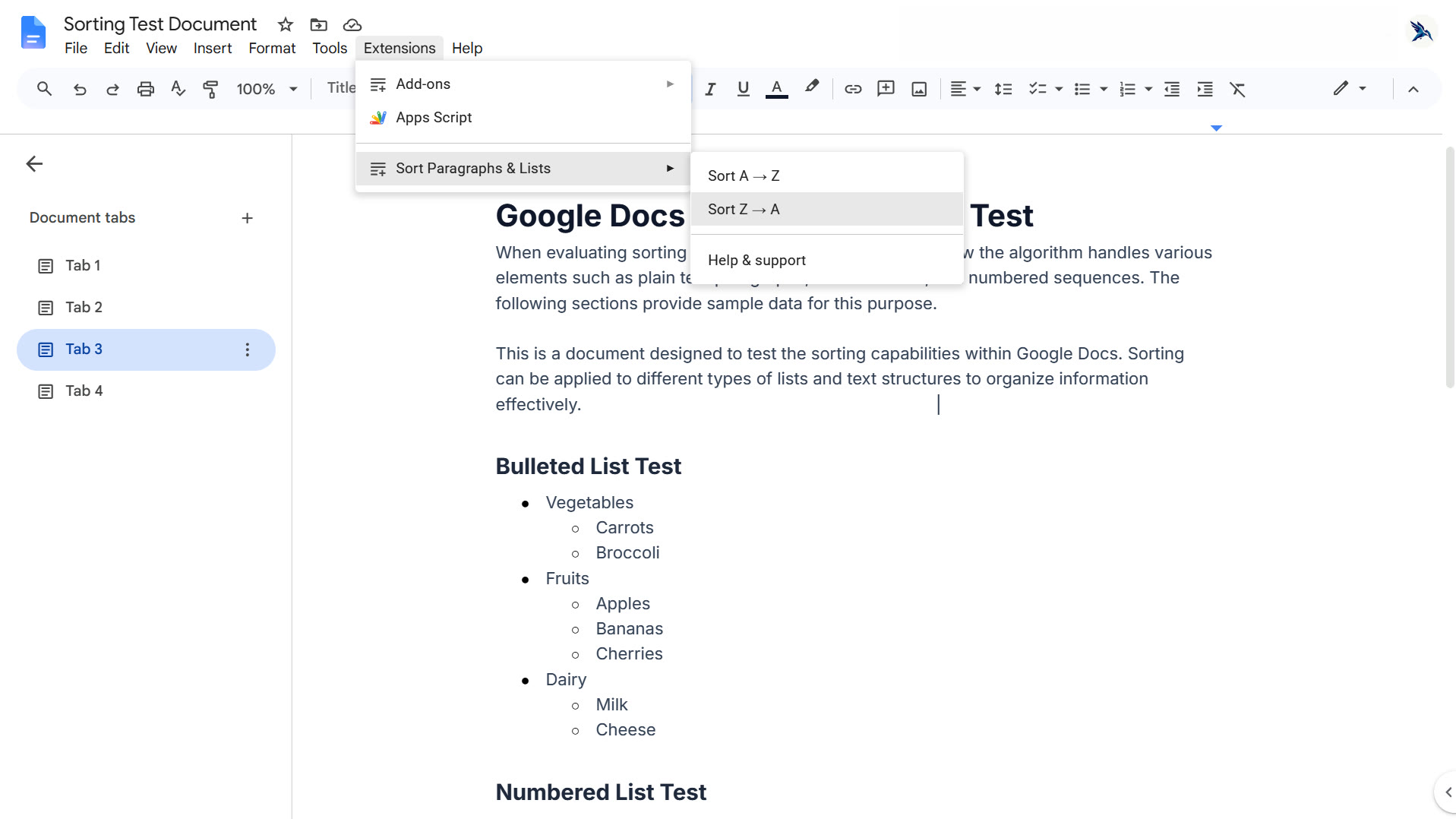
Google Docs™ can sort a table, but not your paragraphs or lists. This free add-on adds the missing button: select your lines and choose A → Z or Z → A.
Lists and paragraphs
Bulleted, numbered and nested lists, plain paragraphs, bibliographies and works cited pages.
Sorted the way you’d expect
Item 2 before Item 10, accents in the right place, and “The Matrix” under M.
Only this document
It can only access the document you use it in, stores nothing and needs no account.
Install free from Google Workspace Marketplace See how it works →
About Kerylos Labs
Kerylos Labs is an independent software studio. We build tools that do one job well: quick to set up, careful with your data, and supported directly by us. We started with a Square reporting add-on for Google Sheets™ and a free list sorter for Google Docs™, and more tools are on the way. Questions? Email support@keryloslabs.com.